
Make the cart clear
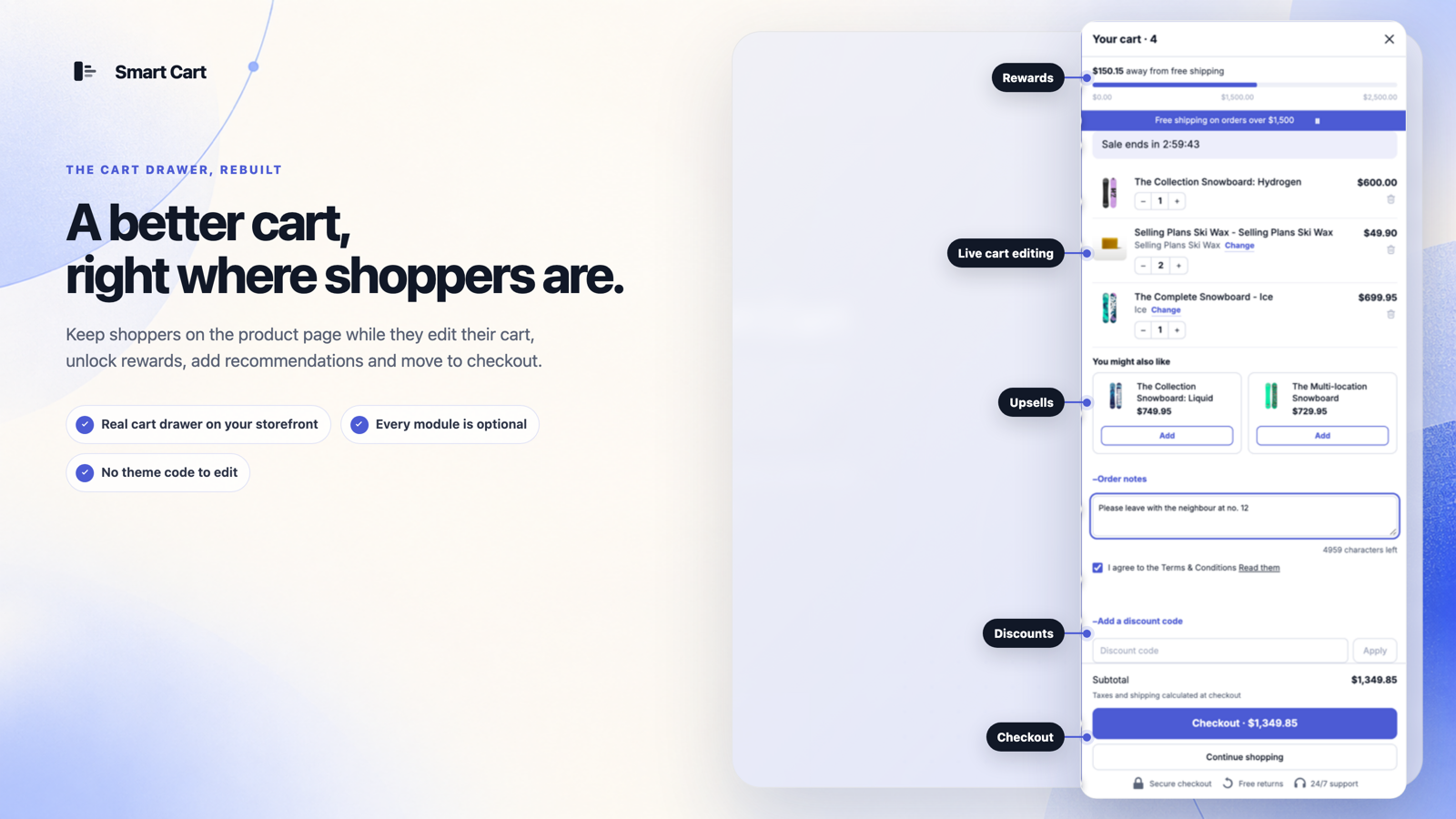
A responsive drawer keeps line items, quantities, totals, and checkout in one focused surface.
Smart Cart for Shopify stores
Smart Cart is a Shopify cart drawer and upsell app from Sofcy Private Limited. Let shoppers edit their basket, add relevant products, and qualify for shipping rewards or gifts without leaving the storefront.
Free plan: 50 attributed orders/month · 14-day trial on paid plans · Theme app extension
 Free giftsCart upsells
A responsive drawer keeps line items, quantities, totals, and checkout in one focused surface.
Use shipping progress, gifts, rewards, discounts, and add-ons only where they support the purchase.
Review cart analytics and use controlled experiments on eligible plans instead of guessing.
Choose the right starting point
The Free plan includes the full cart drawer, all modules, one cart configuration, and up to 50 attributed orders monthly. Advanced controls and higher order limits depend on the plan. Compare current plans and limits.
Install through Shopify and activate the app embed in your intended theme. Verify product-page add buttons, collection quick add, discounts, and checkout on that theme. Follow the installation guide or open the setup documentation.
Smart Cart does not replace Shopify checkout or guarantee a conversion increase. Use it when you need a configurable cart experience, then measure completion and contribution. Compare an app drawer with your theme cart.
One cart system
Smart Cart separates the essential cart experience from optional merchandising modules, so merchants can build deliberately instead of switching on everything at once.
Keep shoppers on the page with a responsive drawer that opens over the storefront.
↗02Show how much remains before a shopper reaches the shipping threshold you set.
↗03Offer relevant add-ons inside the drawer without sending shoppers to another page.
↗04Reward qualifying carts with an automatic gift or a customer-choice gift experience.
↗05Create a visible sequence of cart-value milestones and rewards.
↗06Let shoppers add useful extras directly from the cart drawer.
↗Configure
Arrange modules, edit shopper-facing settings, adjust the design, and preview the experience before checking it on the storefront.
Explore the design editor →
Merchandise
Choose products yourself, use a collection, or draw from Shopify recommendations. Add gifts, thresholds, and display rules where they make sense.
Choose better upsell products →
How it works
Enable the theme app extension in your Shopify theme.
Choose a design and add only the modules you need.
Test cart states, devices, discounts, and checkout on the storefront.
Use activity data and eligible-plan experiments to make informed changes.
Built around real catalogs
Pair clothing with accessories, communicate rewards, and keep mobile checkout easy to reach.
02Present routines, minis, gifts, and shipping goals without interrupting product discovery.
03Offer complementary products and make shipping thresholds easy to understand.
04Organize add-ons and cart incentives with clear, restrained messaging.
The learning center
Practical guide
Set up a Shopify cart drawer: choose the editing tasks, activate the theme embed, and test cart updates, rewards, and checkout.
Read the guide →Cart strategy
Design Shopify cart controls with clear variant choices, quantity changes, removal, stock-error recovery, and accurate totals.
Read the guide →Cart strategy
Calculate an illustrative shipping threshold from contribution margin and shipping subsidy, then test discounts and eligibility.
Read the guide →Cart strategy
Compare mobile cart layouts, sticky checkout, scrolling, and keyboard behavior using practical examples and storefront checks.
Read the guide →For Shopify stores
Free plan: 50 attributed orders per month and one cart configuration. Paid plans include a 14-day trial.